
Three things to check.
- 01
Compare the same item.
Use the same product and option on the product page and in the cart. Note where the photo first disappears.
- 02
Check both cart views.
Look in the cart drawer or confirmation, then the full cart. An image can work in one view and fail in another.
- 03
Send both views to your team.
Include the URL, selected option, browser and time. A missing image shows the symptom; it does not establish the cause.
After the fix, repeat it.
After the asset or storefront code is fixed, add the original item again. Confirm its thumbnail in both cart views, then check another product.
A recorded example.
In our demo, the bottle reached checkout while its cart thumbnail was missing. These are actual demo-store screenshots, separate from the illustration above.
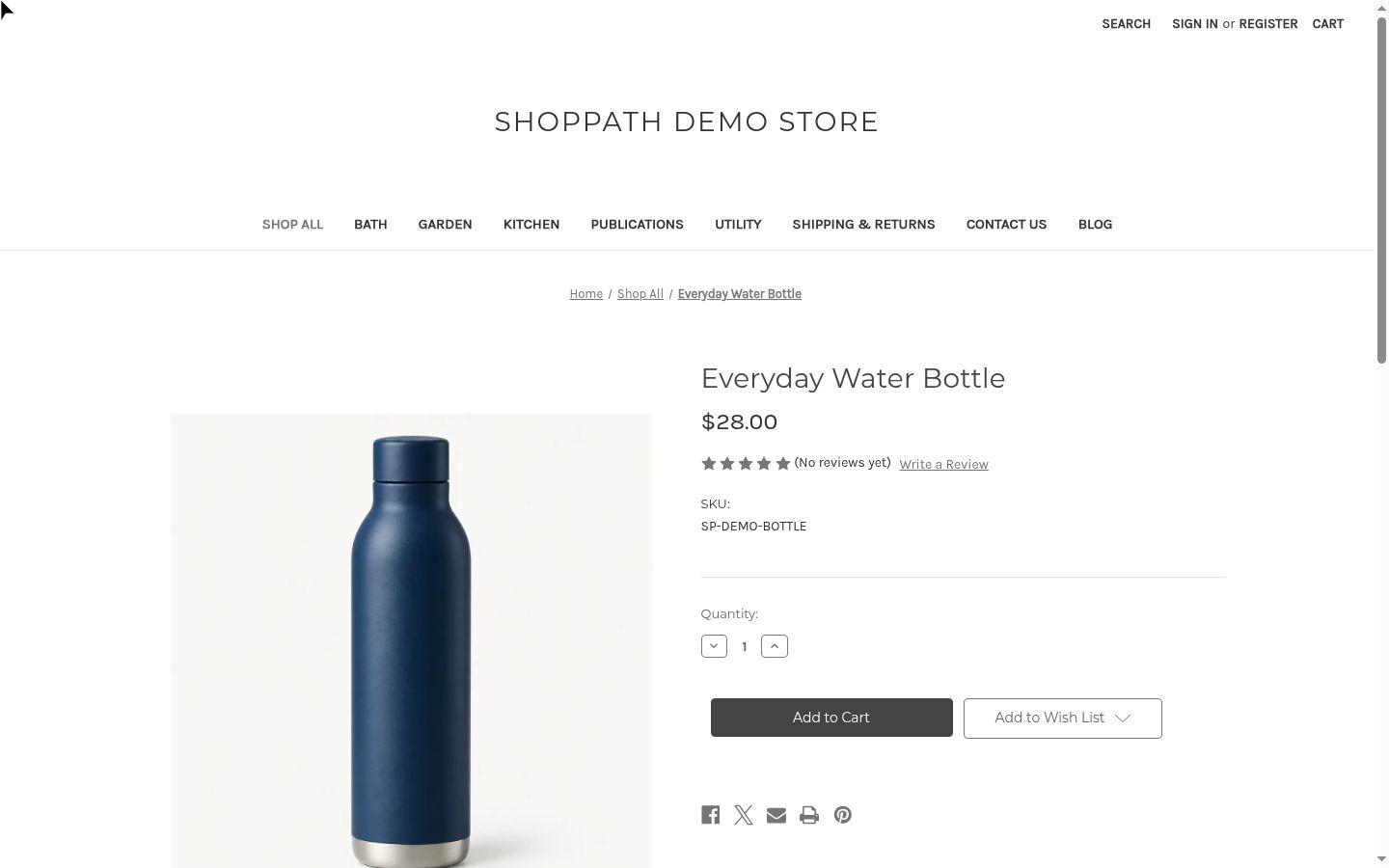
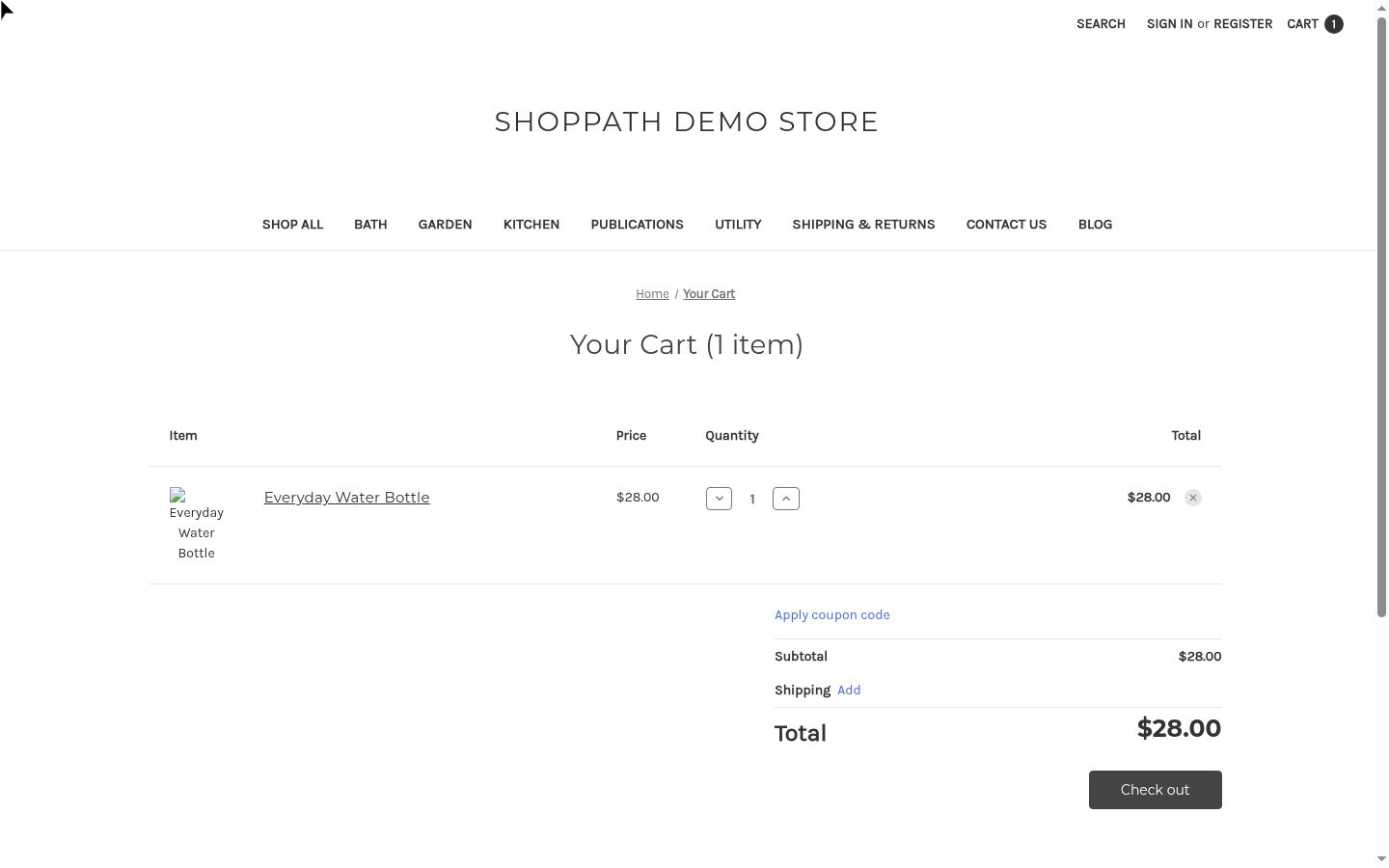
Recorded in our BigCommerce demo store on October 21, 2026. We deliberately introduced the missing cart image to demonstrate detection. This is a demo example, not a customer result. Select a screenshot to inspect it at full size.
Where ShopPath helps.
A journey can reach checkout while its screenshots still show a visual issue. ShopPath’s separate experience analysis can flag what is visible; your team investigates and applies the fix.
Use only a store you own or are authorized to test. Stop at checkout entry, before submitting customer details or payment. Testing begins after approval.
Coverage and limits